
To check a backlink, check the page that contains your link. If you have access to that page’s Search Console property, use URL Inspection’s indexed report. Otherwise, look for the exact page in Google and record the result as a search observation. A matching result is useful positive evidence; no result leaves uncertainty.
Neither an indexed page nor a detected backlink proves that the link improves your rankings.
You open a backlink report, copy a placement URL, and search Google. Nothing appears. Should you ask the publisher to fix the page, submit it to an indexer, or write off the placement?
That decision depends on what you checked. A search result, a crawler visit, and an indexing report answer different questions. Treating them as interchangeable can turn an incomplete check into an expensive mistake.
Start with the linking page, not your own website
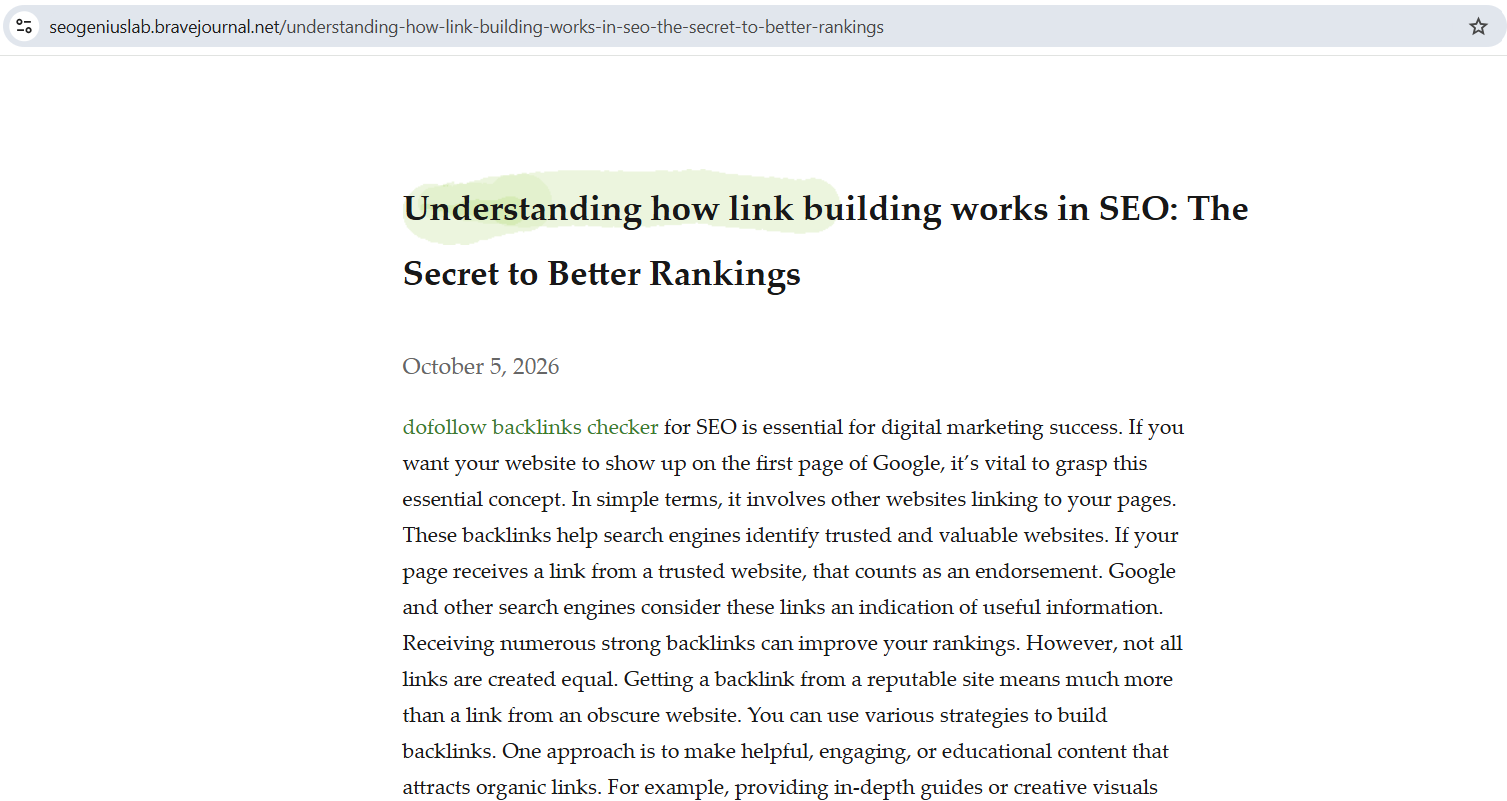
Suppose an article on publisher.example/resources/indexing-guide links to quickindex.app. The publisher’s article is the source page. QuickIndex is the destination.
Searching for QuickIndex’s homepage tells you nothing about whether that source page is indexed. Copy the placement URL, open it, and confirm the link still exists and points to the intended destination.
Keep three questions separate:
- Is the page live? You can open it and find the link today.
- Is the page indexed? Google has included a version of the page in its index.
- Does the link affect rankings? An indexing check cannot establish that outcome.
A page may have been indexed before your link was added. Confirming the page’s index status does not establish that Google has processed its latest revision.
Which backlink indexing checks should you use?
| Method | Access needed | What it establishes | Main limit |
|---|---|---|---|
| URL Inspection: indexed report | Access to the source page’s Search Console property | Google’s reported index status and canonical information | Stored information; not proof of ranking benefit |
Google search / site: |
Public access | The matching page was returned for that query | No result is inconclusive |
| Bulk checker | Depends on the tool and its data source | Results from its underlying checking method | Automation inherits the method’s limitations |
| Your Search Console Links report | Access to your destination site’s property | Google has reported the linking relationship | Sampled, historical data; not a current index audit |
| Verified Googlebot logs | Logs from the source website | A verified crawler requested the URL at a recorded time | A crawl is not an indexing decision |
1. Use URL Inspection when you have publisher access
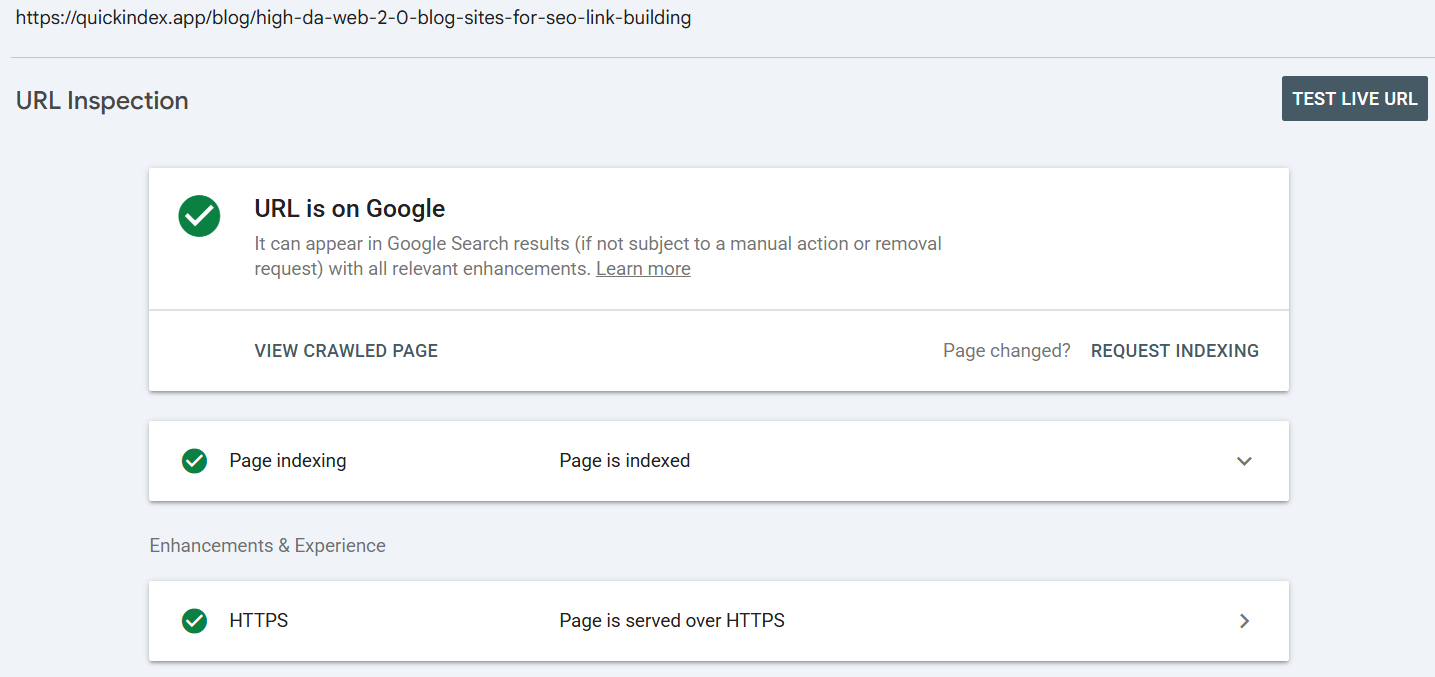
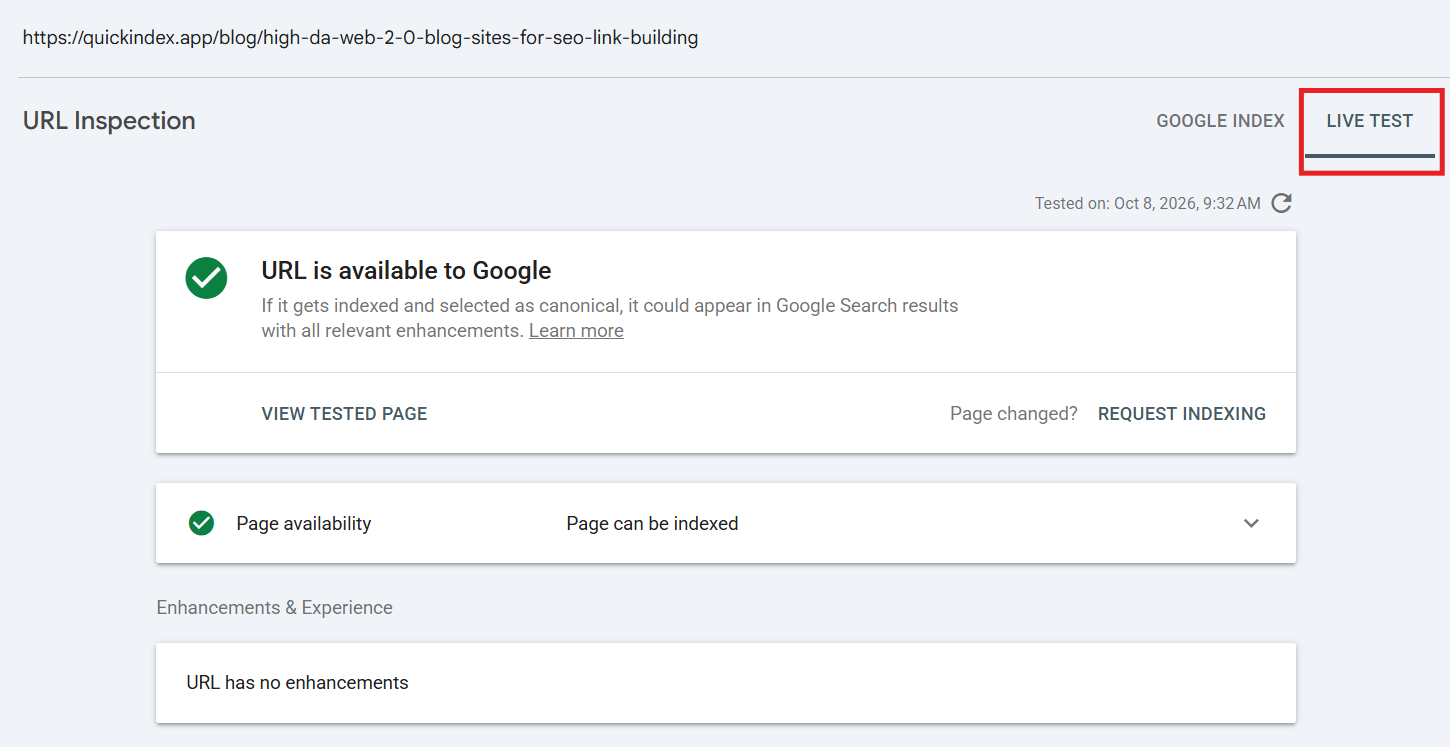
Open the source website’s property in Search Console and inspect the complete placement URL. Read the indexed report, including its index status, last crawl, and Google-selected canonical. If the canonical differs, investigate that URL too.
Do not substitute Test live URL for this check. The live test examines present accessibility and potential indexing issues; a successful test does not confirm inclusion in the index. Google explains the distinction in its URL Inspection documentation.
Your own site’s property does not give you inspection access to a publisher’s page. For an important placement, ask the publisher for a dated screenshot showing the inspected URL and indexing details. That is usually more practical than requesting account access.
2. Use Google search as a public check
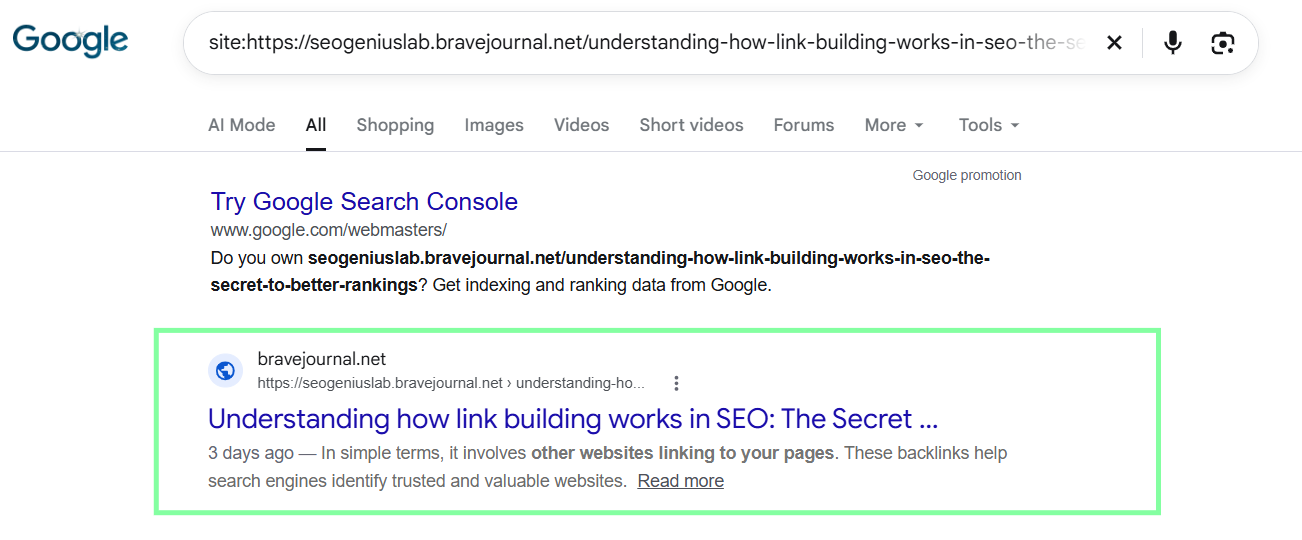
Try a query restricted to the placement URL:
site:https://publisher.example/resources/indexing-guideOpen any matching result and compare its actual URL with your placement. A site: query can match a URL prefix, so do not accept a similar-looking article or child URL as the same page.
You can also try the page’s distinctive title with the publisher’s domain. This is a supplementary search, not a more authoritative index test.
Google documents that indexed URLs are not guaranteed to appear in site: results. Record a miss as “not found in this search”, rather than immediately declaring the page unindexed.
3. Ask how a bulk checker gets its answers
A bulk tool saves repetitive work. It does not automatically improve the evidence.
Before relying on its labels, ask:
- Does it inspect an authorized Search Console property, query public search results, or use another database?
- Does it distinguish a completed search with no match from a timeout or blocked request?
- Does it retain the checked URL, returned URL, method, and timestamp?
A search-based checker’s negative result has the same uncertainty as the underlying search. A failed check should be recorded separately. A third-party backlink database establishes what that provider found, not Google’s index status.
Tools using the Search Console URL Inspection API need authorization for the relevant property. That API returns information about the version in Google’s index; it does not run a live indexability test.
4. Treat Search Console’s Links report as supporting evidence
Your destination site’s Links report can help confirm a reported linking relationship. It cannot replace inspection of the source page.
Google says the report is a sample, not a comprehensive link list. It includes links found over time, including ones that may have disappeared. A missing placement does not prove Google has never discovered it; a listed placement does not confirm it is live today.
5. Keep crawl logs separate from index status
If the publisher provides logs, a verified Googlebot request can establish a crawl event. Verify the crawler using Google’s IP or DNS verification procedures; a user-agent label alone is insufficient.
Record the requested URL, time, and response. This tells you about access, not whether Google subsequently indexed the page or assigned value to its link.
A practical verification workflow
- Confirm the placement. Open the source page. Record its final URL after redirects and check the link’s destination. If the placement is missing, investigate that before indexing.
- Check for obvious restrictions. Look for login requirements, errors, and indexing directives. A
noindexdirective can appear in HTML or an HTTP response header. Checking only the visible page misses these details. - Note canonical differences. A declared canonical is a signal, not proof of Google’s choice. Use the indexed report when available to resolve that distinction. See Google’s canonicalization guidance.
- Choose the best available check. Use the indexed report with publisher access; otherwise, search for the source page and preserve uncertainty when no match appears.
- Save the evidence. Record the method, result, exact URL, and check date. For a valuable placement, retain a screenshot or report export.
- Decide the next action. Fix or ask the publisher about confirmed problems. Recheck inconclusive observations on a consistent schedule instead of repeatedly submitting the same URL.
For routine campaign monitoring, a weekly recheck is a workable starting point—not a Google rule or a promise about indexing speed. Important placements may justify earlier publisher contact.
If the publisher confirms a page is unindexed, its Page indexing report can help distinguish discovery, crawl, and exclusion issues. For pages you manage, Google supports indexing requests and sitemap submission. A crawl request does not guarantee inclusion, and repeated requests do not make crawling faster.
How to interpret conflicting results
The following are illustrative decision examples, not results from a QuickIndex experiment.
| Observation | Reasonable conclusion | Next action |
|---|---|---|
| A public search finds nothing; publisher inspection reports the page indexed | The public check missed a page Google reports indexed | Record the inspection evidence and date; avoid treating the search miss as a failure |
| The live test succeeds; the indexed report says the page is not indexed | The live test did not establish inclusion | Investigate the indexed report’s reason |
| Your Links report lists the source; the current page has removed your link | Historical discovery differs from the current placement | Contact the publisher about the missing link |
| The page appears in Google; your link was added afterward | Page visibility is established, but processing of the added link is unresolved | Record the link addition date separately from the page’s observed visibility |
Use labels that match your evidence
A single “indexed / not indexed” column hides how a result was obtained. These suggested labels make a campaign report easier to audit:
- Indexed — publisher inspection: supported by the indexed report.
- Found in Google search: a matching source page was returned.
- Not found — search check: no match; index status remains uncertain.
- Not indexed — publisher inspection: record the reported reason.
- Check failed: no usable result was obtained.
- Placement missing: the source page or backlink needs attention.
Keep “link reported by Google” and “verified crawl observed” as separate evidence fields. That prevents either observation from being mistaken for a current index verdict.
For example, if a public checker finds 70 of 100 placement URLs, report “70 pages found in Google search; 30 not found by this method.” Calling it a definitive 70% index rate overstates what the check established.
Frequently asked questions
Does finding a backlink in an SEO tool mean Google indexed it?
No. It means that tool detected the link using its own data and methods. Keep that observation separate from Google index evidence.
Can I check a publisher’s page using my own Search Console?
Your property covers your website. Source-page inspection requires appropriate access to the publisher’s property.
Does an indexed backlink page guarantee a ranking improvement?
No. These checks do not measure the link’s individual ranking contribution. Do not present an indexing result as a performance guarantee.
Should I submit every URL that a checker marks “not indexed”?
First establish what that label means. Separate search misses from failed checks, missing placements, and confirmed indexing issues. Submission should follow diagnosis.
Checking a batch of backlink pages?
Use the QuickIndex Google Index Checker for an initial search-based check. Treat missing matches as URLs to investigate. Where you have publisher access, confirm important decisions with URL Inspection.
If you need help managing bulk URL submissions, explore QuickIndex after checking that the pages are accessible and suitable for indexing. Submission and crawling do not guarantee indexing or ranking improvements.
Need your backlinks indexed faster?
QuickIndex helps submit and monitor links so you can spend less time checking URLs manually.
Get started